


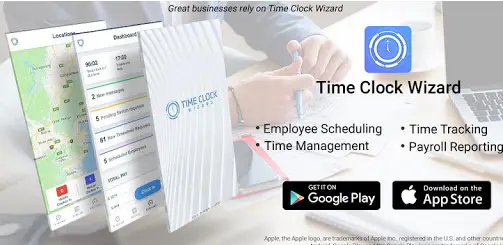
Freelancers are the epitome of independence, juggling multiple projects and clients, setting their own schedules, and creating their unique work environment. However, this freedom comes with challenges, especially when it comes to managing time effectively. Without the structure of a traditional office, it can be difficult to track hours accurately, ensure you’re paid for every minute worked, and maintain a healthy work-life balance. This is where time clock software, like Time Clock Wizard, can make a world of difference. It not only helps you stay organized but also makes the task of tracking billable hours, managing deadlines, and streamlining payments more efficient.
As a freelancer, your time is money. Time clock software is an essential tool for ensuring that you remain productive while also having enough space to enjoy the flexibility of freelancing. In this post, we’ll explore how Time Clock Wizard and other time clock software solutions can enhance your freelancing business, boost your productivity, and improve your overall workflow.
The Need for Time Tracking in Freelancing
Freelancers are often juggling multiple clients with varying needs, which means there’s a lot of project and time management involved. The ability to track hours worked efficiently can often be the key to success in the freelance world.
When you’re a freelancer, it’s easy to lose track of time when working on a variety of projects. Maybe you’ve spent an extra hour perfecting a client’s design or added a few extra revisions to a blog post. Without the right system in place, it’s hard to remember exactly how much time was spent on each task. This can lead to misunderstandings with clients and, unfortunately, missed payments.
By using time clock software like Time Clock Wizard, you can accurately track your work hours in real-time, making sure that every minute of your labor is accounted for. Not only does this ensure that you’re paid for all the time you’ve worked, but it also gives you peace of mind knowing that you won’t overlook any important tasks or deadlines.
How Time Clock Software Helps Freelancers
Here’s how time clock software such as Time Clock Wizard helps freelancers manage their time and business more effectively:
1. Accurate Time Tracking
The most significant benefit of time clock software is the ability to track time accurately. With Time Clock Wizard, you can start and stop the timer whenever you begin or finish a task. This level of precision helps you to log exactly how long you’ve worked on a particular project, ensuring that you’re paid correctly for your work.
This eliminates the need for manual time logging or the risk of over- or under-estimating how much time you spent on a project. The software automatically tracks and stores your hours, meaning that you can easily access your past records whenever needed. This makes invoicing clients a breeze, as you’ll have all the data you need readily available.
2. Streamlining Invoicing and Payments
As a freelancer, getting paid on time is crucial. With time clock software, you can easily generate invoices based on the hours tracked. Time Clock Wizard automatically converts your tracked time into a detailed invoice that you can send directly to your client. This helps reduce the back-and-forth of manually calculating hours and generating invoices, saving you time and ensuring that there’s no confusion about how much you’re owed.
Moreover, many time clock systems offer payment integrations, allowing you to receive payments promptly via platforms like PayPal, Stripe, or bank transfers. The streamlined invoicing process improves your cash flow and makes the payment process more efficient.
3. Enhanced Productivity and Focus
When you’re working as a freelancer, it’s easy to get distracted by various tasks or to find yourself spending too much time on certain aspects of a project. Time clock software like Time Clock Wizard allows you to track time in real time, which helps you stay focused and mindful of how long you’re spending on tasks.
If you notice you’re spending too much time on a particular task, you can quickly adjust and refocus your efforts to stay on track. Additionally, many time clock systems come with features like time blocking, which lets you set specific time slots for particular tasks. This creates structure within your day, helping you maintain productivity and avoid procrastination.
4. Detailed Reporting
Freelancers often need to report their time to clients, tax authorities, or even their own records. Time clock software can generate detailed reports about your work hours, helping you stay organized and giving you insights into your productivity patterns.
With Time Clock Wizard, you can access reports that show the hours worked on various projects, client names, and task breakdowns. This can be incredibly useful during tax season when you need to keep track of your earnings or when providing clients with detailed billing statements. Having a transparent record of your work hours fosters trust with clients and allows you to back up your invoices with data.
5. Reducing Admin Work
Time clock software significantly reduces the amount of time spent on administrative tasks. Instead of manually tracking hours or sorting through emails and notes to figure out how much time you’ve worked, the software does the heavy lifting for you. This means you can focus more on delivering quality work and less on managing time.
Moreover, Time Clock Wizard allows freelancers to track their time remotely, whether they’re working from a coffee shop, home, or while traveling. This flexibility is especially beneficial for digital nomads or freelancers with diverse work locations.
Why Time Clock Wizard?
Now that we’ve covered how time clock software benefits freelancers, you may wonder why Time Clock Wizard stands out in the crowded world of time tracking tools. Here are some of the key features that make Time Clock Wizard the preferred choice for freelancers:
User-Friendly Interface: The intuitive design of Time Clock Wizard makes it easy for freelancers to start tracking time right away, even if they’re not tech-savvy. No complicated setup is needed—just log in and start working!
Mobile Access: Freelancers on the go can access the app via mobile devices, enabling them to track their hours from anywhere. This is perfect for freelancers who work remotely or travel frequently.
Flexible Time Entries: You can add time entries manually or use the built-in timer, giving you flexibility on how you prefer to log hours.
Client Management: You can manage different clients and projects within the system, allowing you to easily categorize and track hours for each one.
Customizable Features: Time Clock Wizard offers customizable features, such as setting specific rates for different types of work, helping you calculate how much you should charge for specific tasks.
FAQs about Time Clock Wizard for Freelancers
1. How do I start using Time Clock Wizard as a freelancer?
Starting with Time Clock Wizard is simple! Just sign up for an account on their website, and you can begin tracking your time immediately. You can access the tool via desktop or mobile for convenience.
2. Does Time Clock Wizard have a free version?
Yes, Time Clock Wizard offers a free plan with basic features. You can track your time and manage projects, but some advanced features are available with the paid version.
3. Can I track multiple clients at once?
Yes! Time Clock Wizard allows you to manage multiple clients and projects simultaneously, making it perfect for freelancers with diverse workloads.
4. Is Time Clock Wizard secure?
Yes, Time Clock Wizard takes data security seriously, using encryption to protect your time-tracking information.
5. Does Time Clock Wizard help with taxes?
Yes, Time Clock Wizard provides detailed reports that can help freelancers track their earnings and calculate taxes more easily during tax season.
Conclusion
Freelancers face unique challenges when it comes to managing their time, ensuring they’re paid fairly, and staying organized. Thankfully, tools like Time Clock Wizard provide an effective solution to these problems. By accurately tracking hours, simplifying invoicing, and enhancing productivity, time clock software allows freelancers to focus on doing what they do best—creating great work for their clients. By integrating time tracking into your freelance business, you’ll not only be able to manage your time better but also ensure that every billable hour is accounted for, leading to smoother client relationships and a more successful freelance career. So, if you’re ready to take control of your time, start using Time Clock Wizard today and see how it can transform your freelance business!
Also Read-How Managed Transportation Is Revolutionizing Business Logistics

